Schedule a call with one of our experts
Challenge us with your cutting edge application! Let’s discuss optimizing your part production to generate a winning business case. Ready to push the limits together and turn ideas into impact?
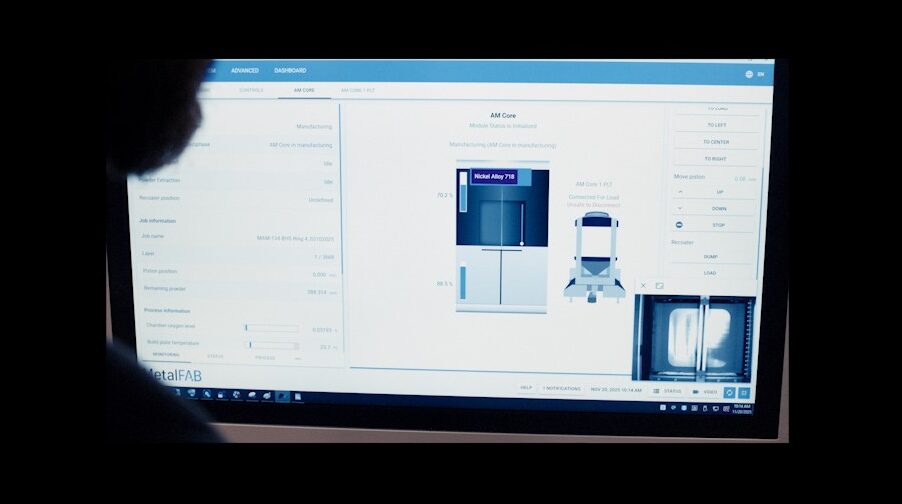
The MetalFab Machine Control Software (MCS) provides all of the functionality to control the system. The software is accessed through the touch-screen HMI and provides the operator with an easy to use, clear interface, laid out to ensure all system controls can be executed in the most efficient manner possible.
It controls all of the MetalFab internal functions relating to calibration, process conditioning, printing, data handling and automation as well as providing the operator with the functionality to intuitively carry out all manual operations.
A range of workflow tools are available to work hand in hand with the Machine Control Software including:
The MetalFab DLA2.0 software has been developed by Additive Industries to achieve the best possible performance from the full-field multi-laser capability of the system.
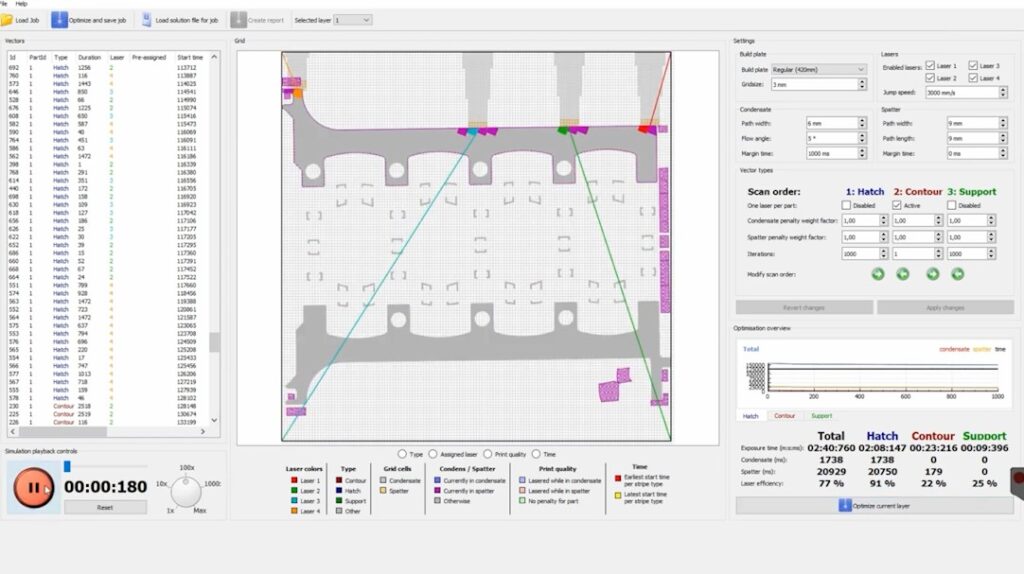
The tool enables unparalleled multi-laser efficiency with its layer-based optimisation ensuring uniform laser workload across every layer on the MetalFab system.
By allowing each laser to access the entire area of the powder bed, users have the ability to fully control the quality and consistency of the parts they produce, along with achieving the optimal productivity, and the DLA2.0 software unlocks this.
Whether producing jobs with multiple parts across the plate, or large single parts, DLA2.0 allows parts to be produced with completely balanced laser assignments whilst taking into account the system gas flow, ensuring the scanning of parts is not carried out in the direct plume or spatter path of the other lasers.
The software accepts build jobs directly from all standard Additive Industries Build Processors for optimization.
 Flexibility to assign lasers to single or multiple part layouts and vector types – define parts as multi-laser or single-laser in the same build
  Eliminate interactions between lasers and melt pool emissions, and control the balance between quality & productivity
  Achieve a seamless finish by choosing a single laser to scan all part borders – regardless of size – enabled by the full-field capability
  Easy to use tool with intuitive controls to analyse and optimise every job quickly, then visualise the output
  Rapid optimisation of laser assignment allowing multiple iterations per second, followed by swift output of the final job file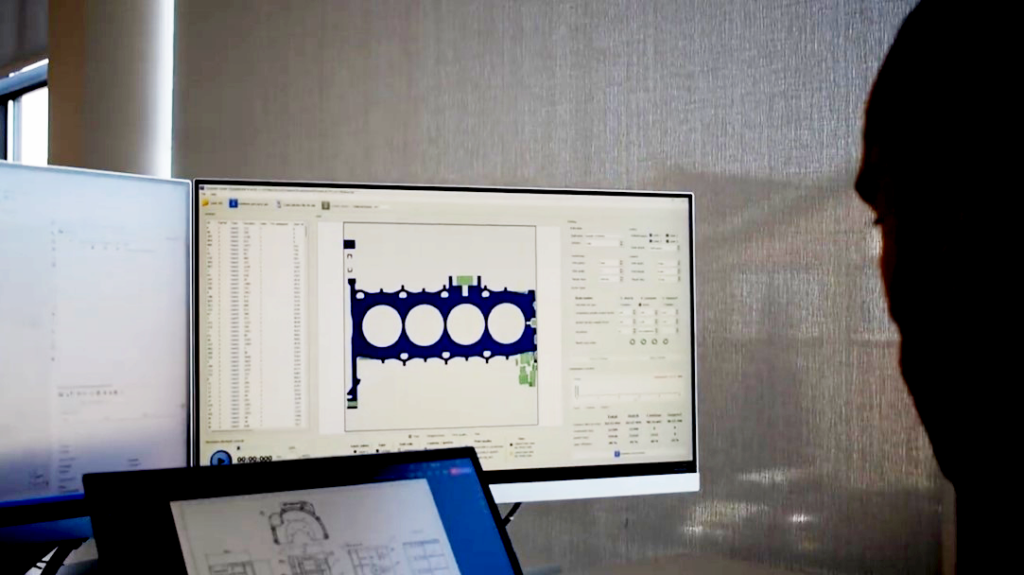
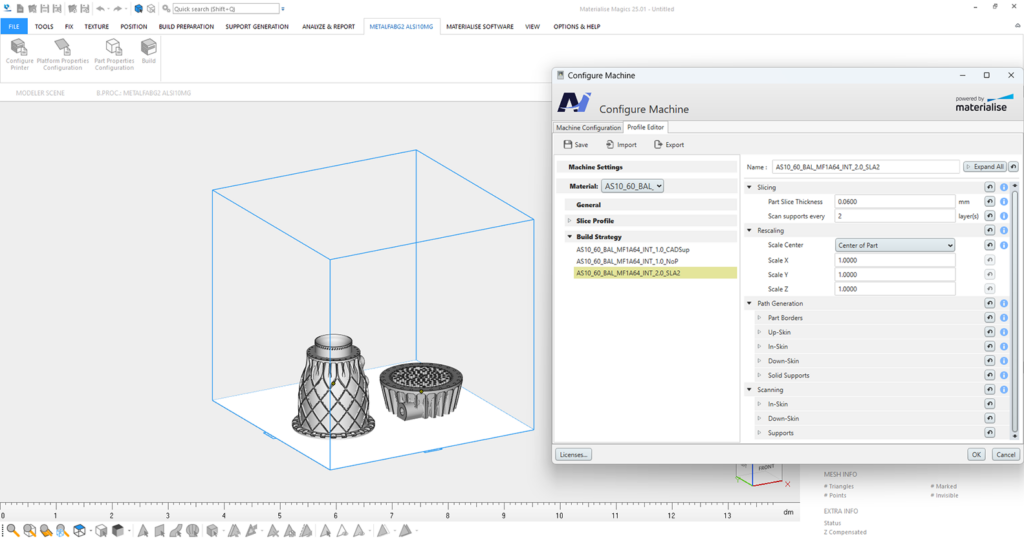
Materialise Magics can be used to prepare job files for MetalFab systems, in combination with the embedded Materialise Additive Industries Build Processor tool.
With the benefits of the industry leading data preparation platform in Magics, users can take advantage of the many funtions within this software to inspect and repair files, layout print jobs and design advanced support structures, amongst many other features.
Additive Industries have worked closely with Materialise to develop the Build Processor, which provides users with the tools to fully control their AM process.
With the MetalFab open architecture, the Build Processor allows standard released Additive Industries process parameters to be accessed, viewed and modified if needed through the clear interface. Further, it allows users to create their own material profiles when they wish to develop their own process parameters.
The Build Processor also allows the user full flexibility to assign lasers across builds based on their requirements, and generate the job files ready to run on their MetalFab system.
Job files can be analysed and inspected using the Materialise Inspector tool.
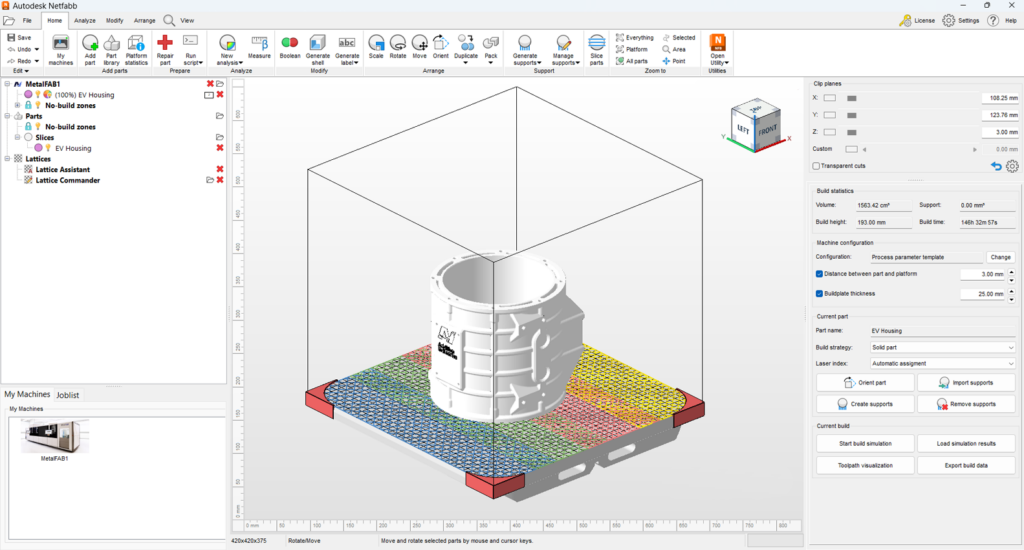

Autodesk Netfabb can be used to directly prepare job files for MetalFab systems.
The software tool can be used for all build data preparation tasks including layout of print jobs, design of parametric support structures and agile latticing amongst many other features.
Competitive advantages can be gained with automation of workflows through scripting repetitive tasks within the tool, and further insight into the process can be gained by the integrated process simulation functionality which can predict distortions in parts driven by residual stresses.
The Netfabb tool also allows a wide range of advanced functionalities for slicing by enabling highly customisable tool pathing options. This, in combination with the MetalFab open architecture opens up a wide range of possibilities for users looking to create advanced scanning strategies and highly bespoke process parameters.
The tool allows full flexibility to assign lasers to specific parts in a job layout, as well as splitting larger parts to allow multi-laser scanning strategies to increase productivity.
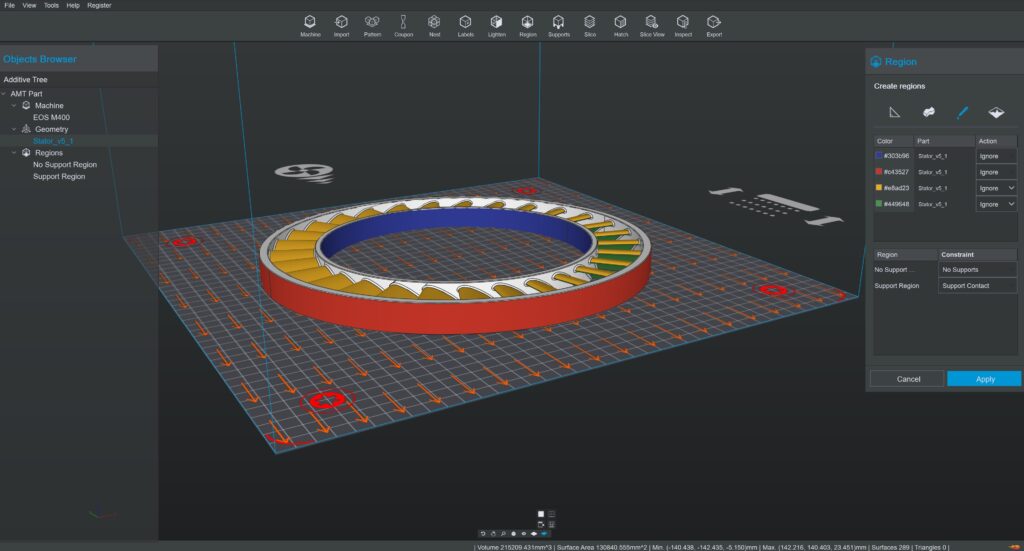

Dyndrite LPBF Pro can be used to directly prepare job files for MetalFab systems.
The platform provides vector‑level control and scriptable toolpath generation, enabling engineers to precisely tailor exposure strategies and optimize part performance.
Powered by a GPU‑accelerated engine, Dyndrite LPBF Pro supports efficient scaling of production workflows, handling complex geometries, large datasets, and multiple file types with speed and flexibility.
For advanced users, the software enables automation and agile parameter development, unlocking fine‑grained control over materials and process strategies.
It provides adaptive toolpath control, automated build preparation, and traceable, production‑ready outputs that improve part quality, consistency, and certification readiness for demanding industrial applications.